
Installing Address Verification for Magento
To add address verification to your Magento store, follow these simple steps. You can enable address verification on your billing or shipping address forms. This guide will walk you through signing up for an account, installing the plugin, configuring it, and exploring advanced settings.
Screenshots
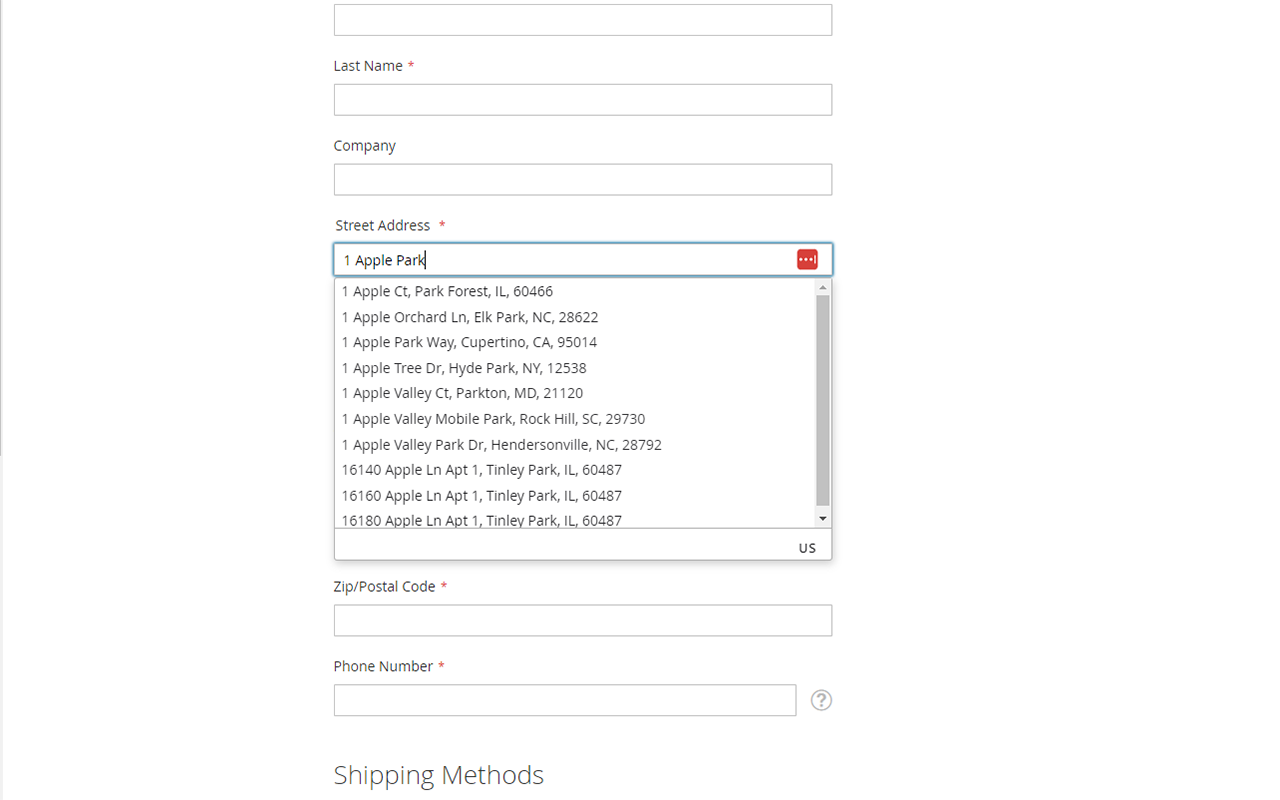
Works With
Listed below are 3rd party Magento extensions we test against:
Step 1: Sign Up for an Account
To use AddressZen, you’ll first need to create an account and get your API key.
- Sign up to create a free account.
- Navigate to the KEYS section in your account.
- Copy your API Key - you’ll need this to complete the setup in Magento. It’s a string of characters that begins with the letters
ak_.
Step 2: Install the Magento Plugin
You have three ways to install the AddressZen plugin for Magento: directly through the Magento Marketplace, via Composer, or manually.
Method A: Install via Magento Marketplace
This is the simplest method to integrate address verification into your Magento store.
You can purchase the extension from Magento Marketplace for free.
Method B: Install via Composer
- Install via composer using this command
$ composer require addresszen/magento
- Execute the following commands to complete the installation:
magento module:enable Addresszen_Lookup
magento setup:upgrade
magento setup:di:compile
magento setup:static-content:deploy -f
Method C: Install Manually
- Load the repository into your Magento directory
app/code/Addresszen/Lookupneeds to be present in your Magento codebase- Retrieve the extension by the following methods:
-
Download and "untar" from our releases page
-
Git clone this project
$ git clone --depth=1 https://github.com/addresszen/magento.git -
Git clone a specific version
$ git clone --branch <tag> --depth=1 https://github.com/addresszen/magento.git
- Execute the following commands to complete the installation:
magento module:enable Addresszen_Lookup
magento setup:upgrade
magento setup:di:compile
magento setup:static-content:deploy -f
Step 3: Plugin Setup
- Once the plugin is installed, it’s time to configure it.
- Head to the administration page. Click
Stores Menu->Configuration->Services Tab->AddressZen. - Enter your API Key (the one you copied when signing up) in the designated field. You can always find the API Key under KEYS in your AddressZen account.
Read our guide on creating an AddressZen account and enabling automated top-ups.
Configuration Options
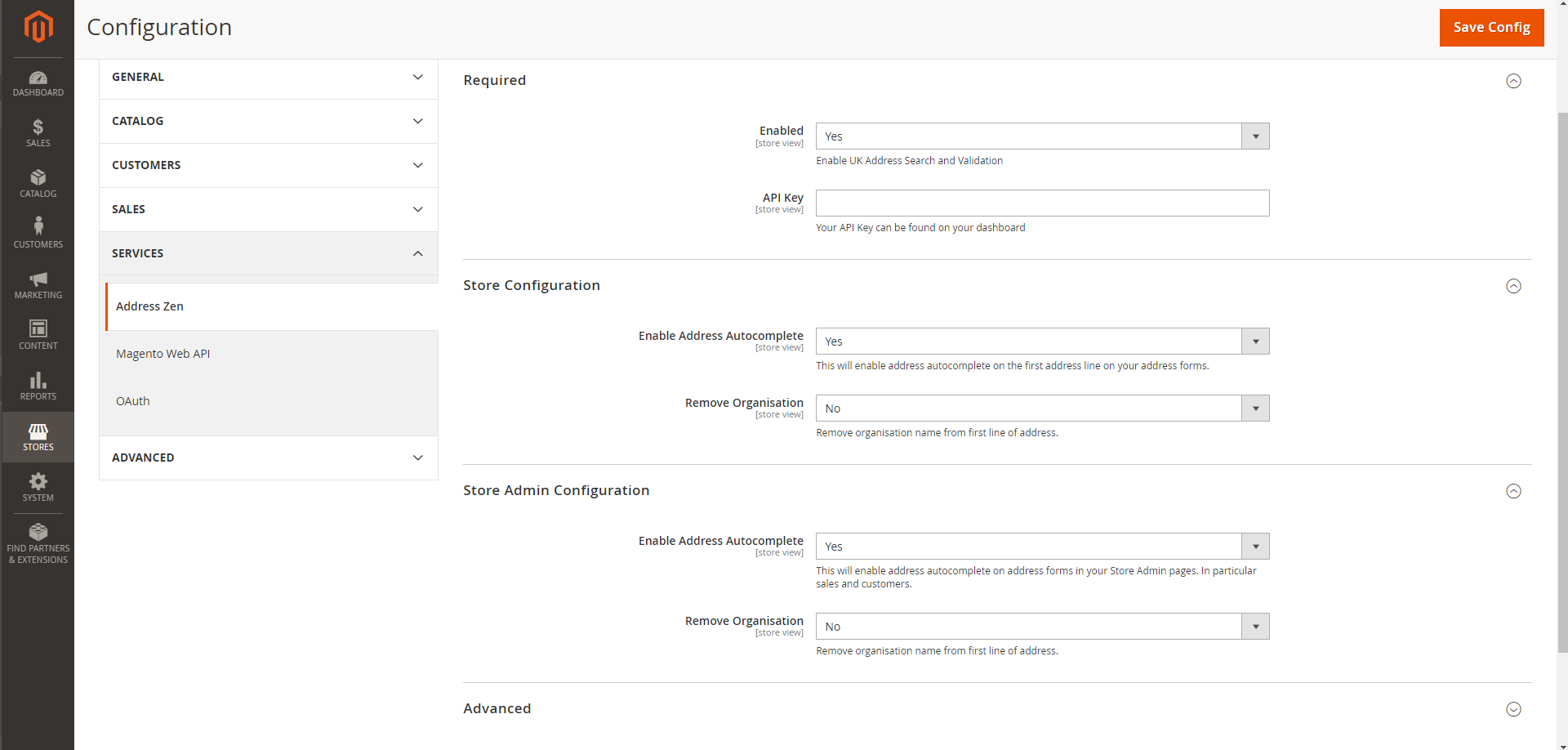
Required
Enabled
Enable or disable the extension altogether.
API Key
The API Key is required to verify your account for address verification. This can be found on your account dashboard on addresszen.com.
Optional
Enable Address Autocomplete
This will enable Address Lookup on the first address line on your address forms.
Remove Organization
This will prevent the organization name from being added to the address line one.
Custom Forms and Configuration
If you wish to add an additional field or use a custom form, include the parameter name from our documentation.
[
  {
    'line_1': 'input[name="billing_street0"]',
    'line_2': 'input[name="billing_street1"]',
    'city': 'input[name="billing_city"]',
    'state': 'input[name="billing_state"]',
    'zip_plus_4_code': 'input[name="billing_zipcode"]'
  }
]
If you need support, you can either reach out to us via live chat or visit our support page.