Microsoft Dynamics 365 Integration | Documentation
Integrate Address Validation on Dynamics 365
Features
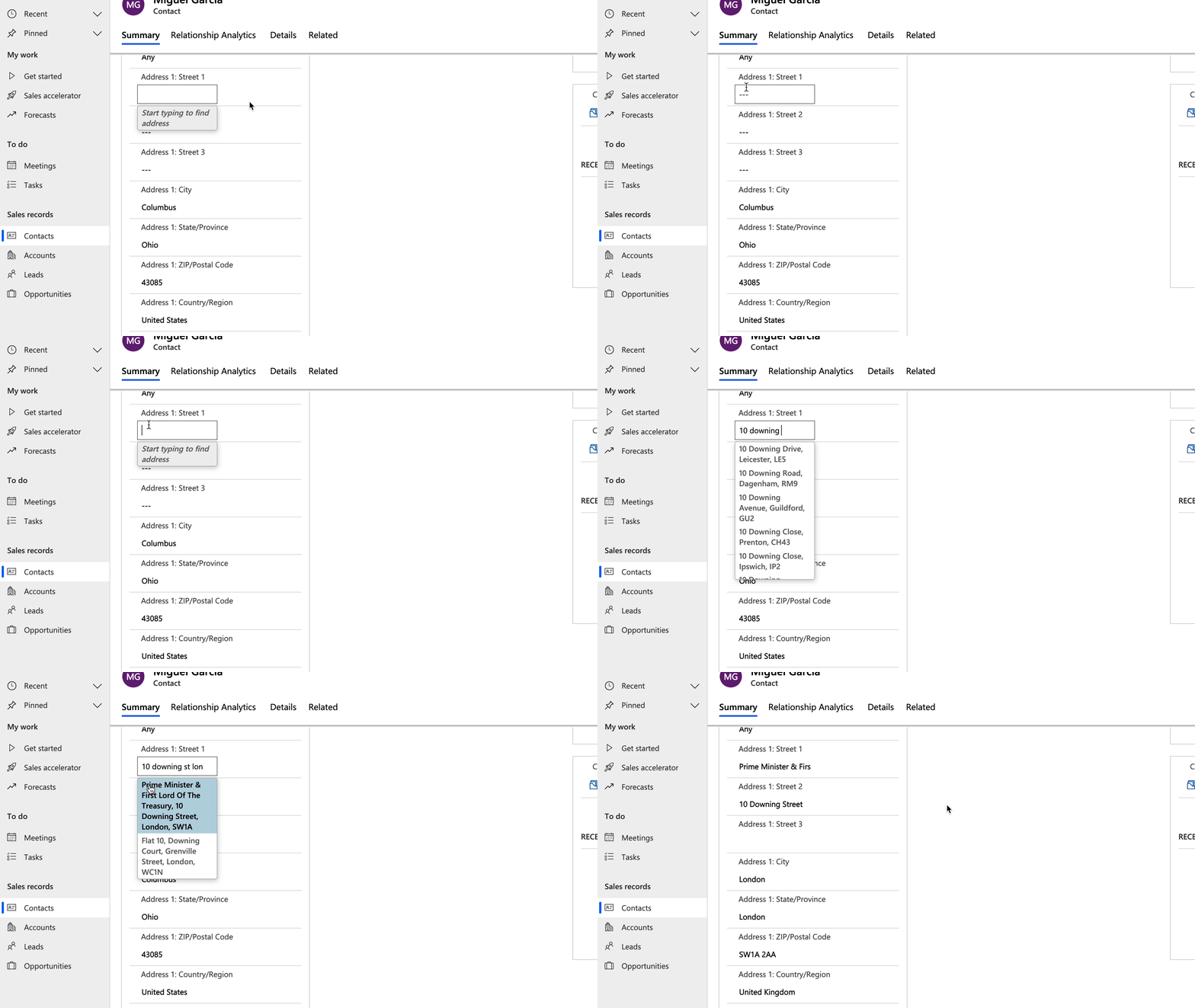
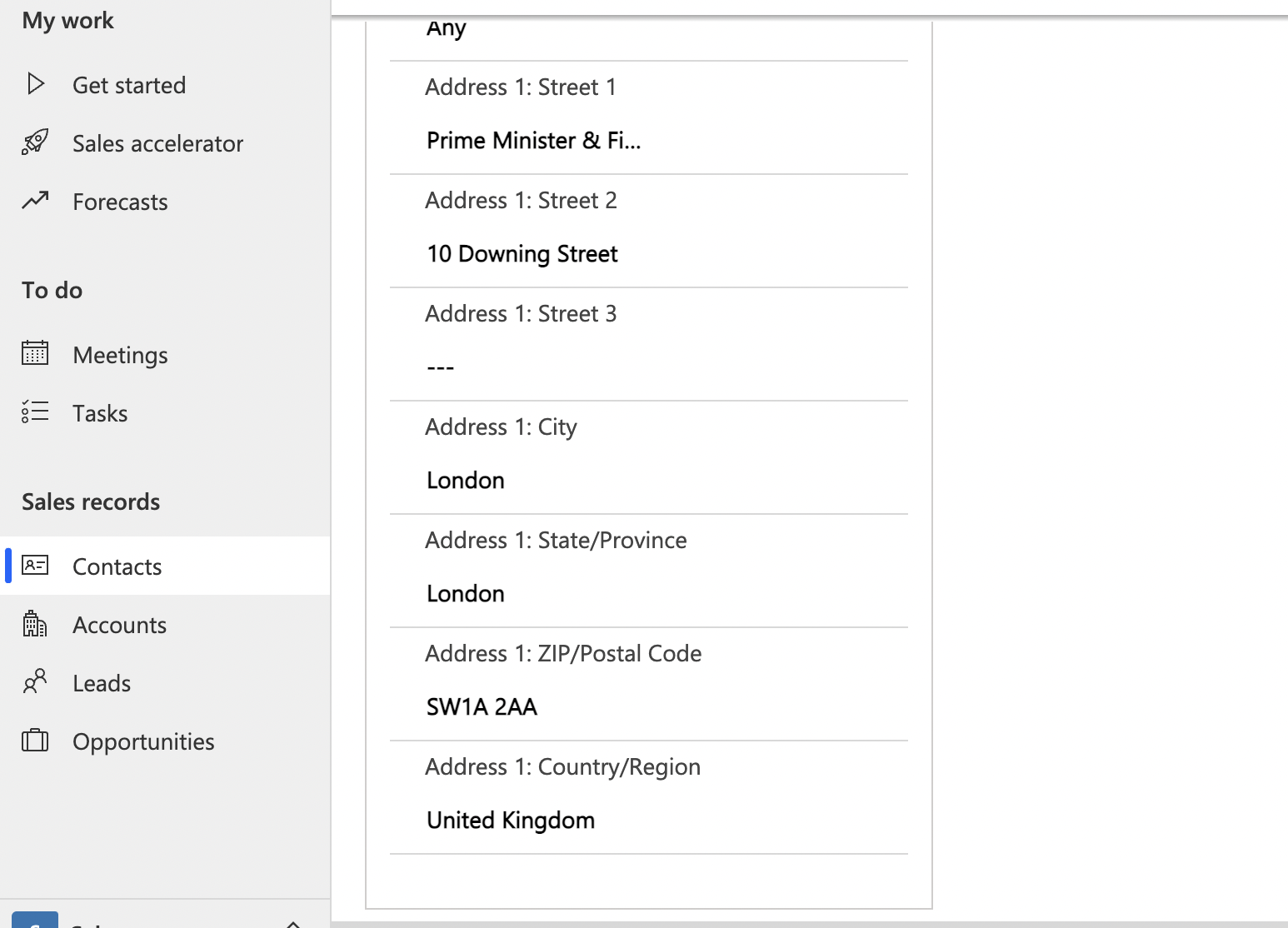
- Adds UK Address Lookup to contact creation and editing
Screenshots
Installation
This integration uses the AddressZen Extension which can be downloaded from the Chrome or Firefox Extensions marketplaces.
See our Browser Extension guide for more information.
Custom Fields
The Browser Extension also allows you to bind Address Lookup to arbitrary sets of CRM properties defiend by you. To do this you will need to map an address field to a Custom Field Name using our JSON configuration editor.
For instance, the config below maps Address Validation for two sets of custom fields.
[
  {
    "line_1": "input[aria-label=\"Address: Street 1\"]",
    "line_2": "input[aria-label=\"Address: Street 2\"]",
    "post_town": "input[aria-label=\"Address: City\"]",
    "postcode": "input[aria-label=\"Address: ZIP/Postal Code\"]",
    "country": "input[aria-label=\"Address: Country/Region\"]",
    "county": "input[aria-label=\"Address: State/Province\"]"
  },
  {
    "line_1": "input[aria-label=\"Line One\"]",
    "line_2": "input[aria-label=\"Line Two\"]",
    "post_town": "input[aria-label=\"City\"]",
    "postcode": "input[aria-label=\"Postcode\"]",
    "county": "input[aria-label=\"Address 1: State/Province\"]"
  },
]
The first set of Custom Fields configures address validation for input fields labeled Address: Street 1, Address: Street 2 and Address: City and so on. The Address Lookup will bind the field labelled Address: Street 1 and populate the other fields defined in the Custom Field set.
The complete list of address fields (e.g. line_1, post_town, postcode) is available in our data documentation.
If you need support, you can reach out to us on our support page.