# Wix Integration
Integrate Address Verification with the Wix Editor.
## Features[](#features "Direct link to Features")
* Bind address lookup to your address fields
## Screenshots[](#screenshots "Direct link to Screenshots")
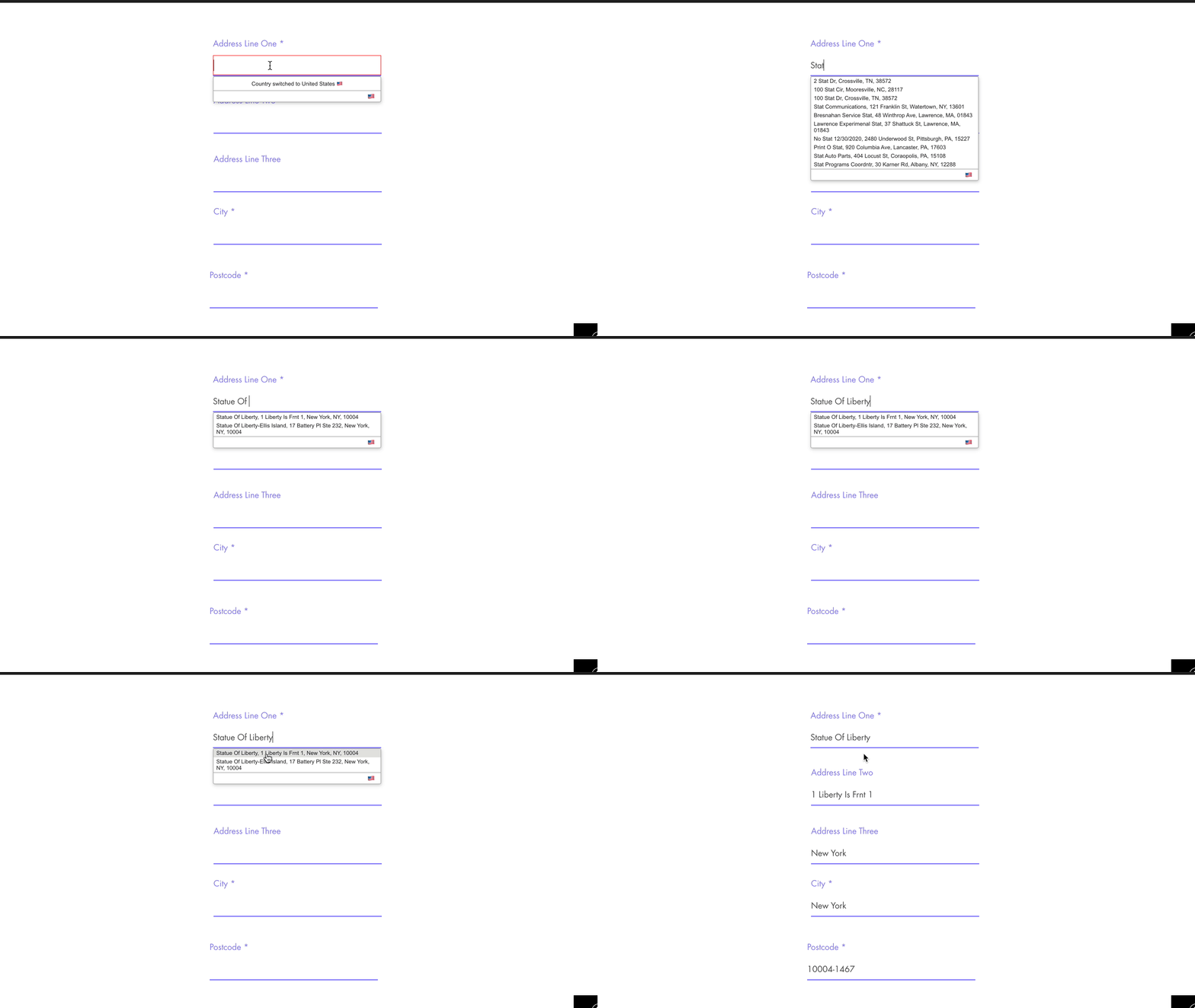
### Address Lookup[](#address-lookup "Direct link to Address Lookup")
### Form Creation[](#form-creation "Direct link to Form Creation")
On your Wix Dashboard head over to `Forms & Submissions`. Create a new Standalone Form.
A basic address form to capture a correct UK address requires the following fields:
* Street Line One
* Street Line Two
* City
* State
* Zip Code
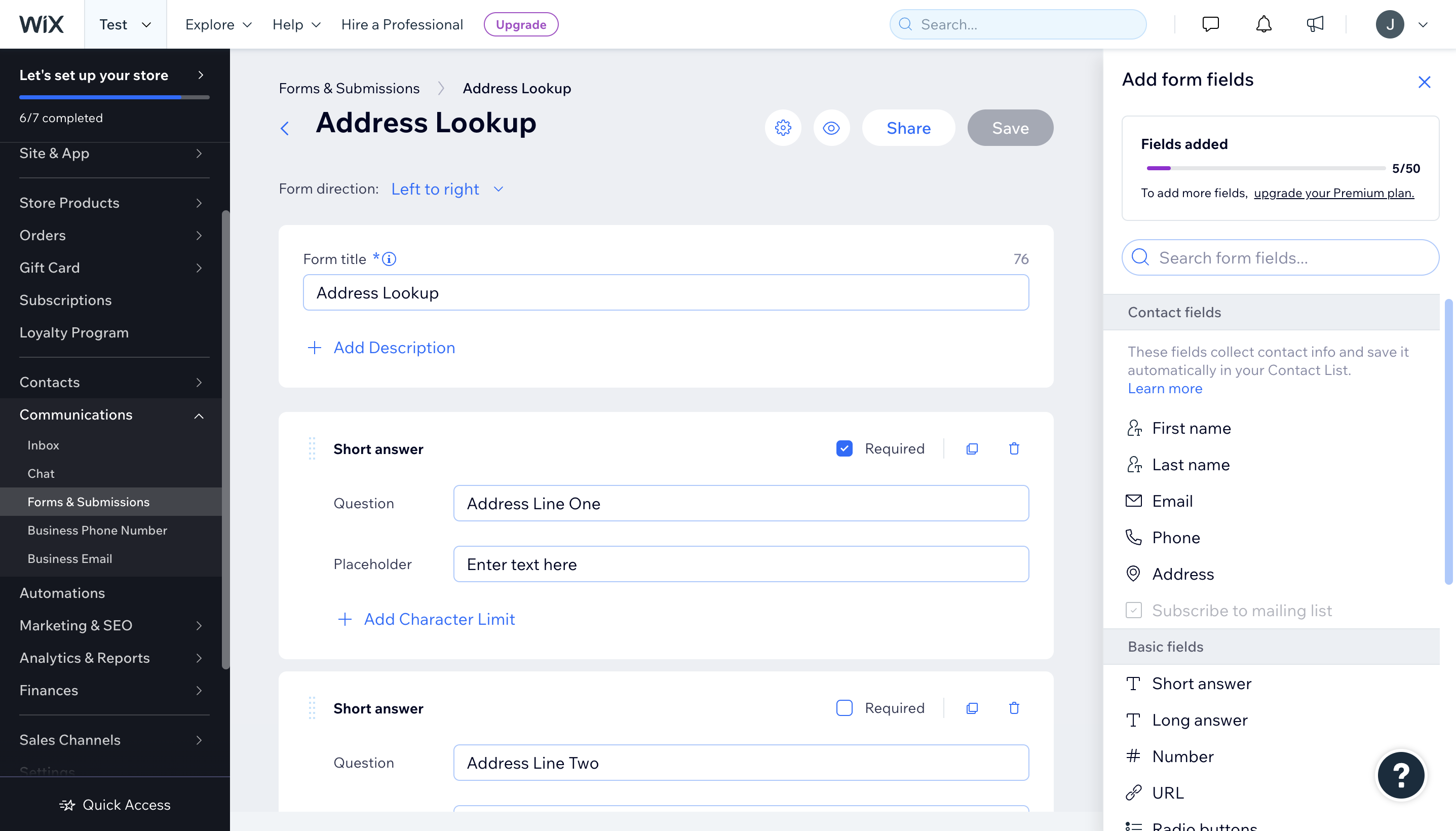
You can optionally include additional fields, which are documented in our [PAF documentation](/docs/api/find-address.md).
### Installation[](#installation "Direct link to Installation")
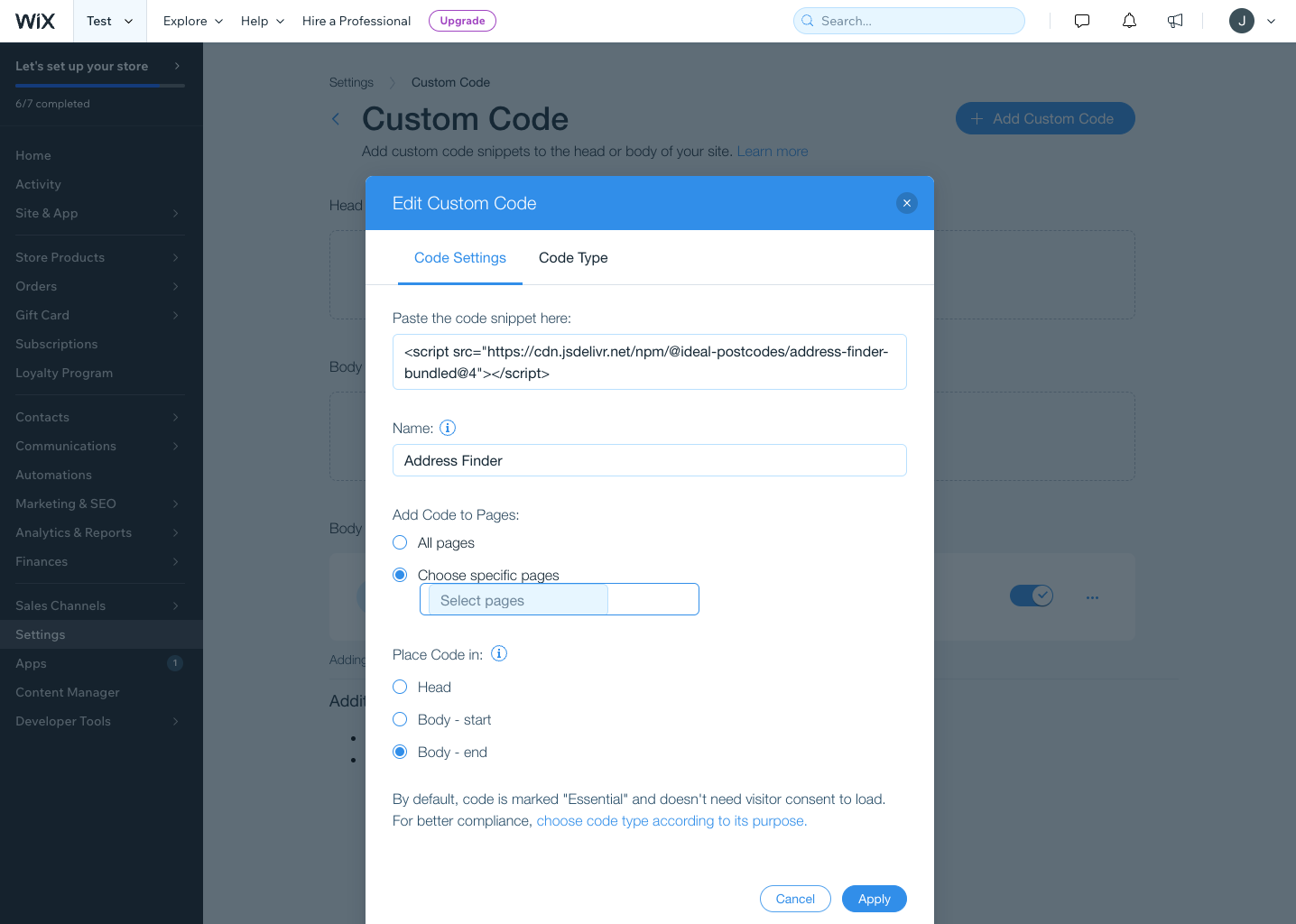
To add the Address Lookup API on your form:
* Go to your Dashboard and click `Settings`
* Under `Advanced`, click `Custom Code`
* Click `Add Code` in the `Body - End` section.
* Make sure the Code Type is set to Essential.
* Copy and paste the code below
```
```
caution
Take special care to:
1. Insert your API Key in the `apiKey` field
2. Update the input field names of your target fields. If your Street Line One `name` is `address-line_1`, this line should be replaced with `'input[name="address-line_1']'`. Do this for all the address fields you wish to include
If you wish to add an additional field, include the parameter name [from our documentation](/docs/data/usps.md). For instance, adding a county field with Field ID `country` will look like:
```
outputFields: {
line_1: 'input[name="address-line one"]',
line_2: 'input[name="address-line two"]',
city: 'input[name="city"]',
state: 'input[name="state"]',
zip_plus_4_code: 'input[name="zipcode"]',
country: 'input[name="country"]'
}
```
## Configuration[](#configuration "Direct link to Configuration")
See our [Address Lookup Plugin Documentation](/docs/address-lookup.md) if you wish to customize Address Lookup.
info
If you need support, you can reach out to us on our [support page](https://addresszen.com/support).