# 
Shopwired Integration for UK Address Search and Validation
## Features[](#features "Direct link to Features")
* Address autocompletion on:
* Checkout (shipping and billing pages)
* User registration page
* Account details page
* Checks if the API Key is usable before enabling autocomplete
* Populates organization name from selected address
info
If you need support, you can either reach out to us on our [support page](https://addresszen.com/support) or drop by our [developer chat page](https://chat.ideal-postcodes.co.uk).
## Screenshots[](#screenshots "Direct link to Screenshots")
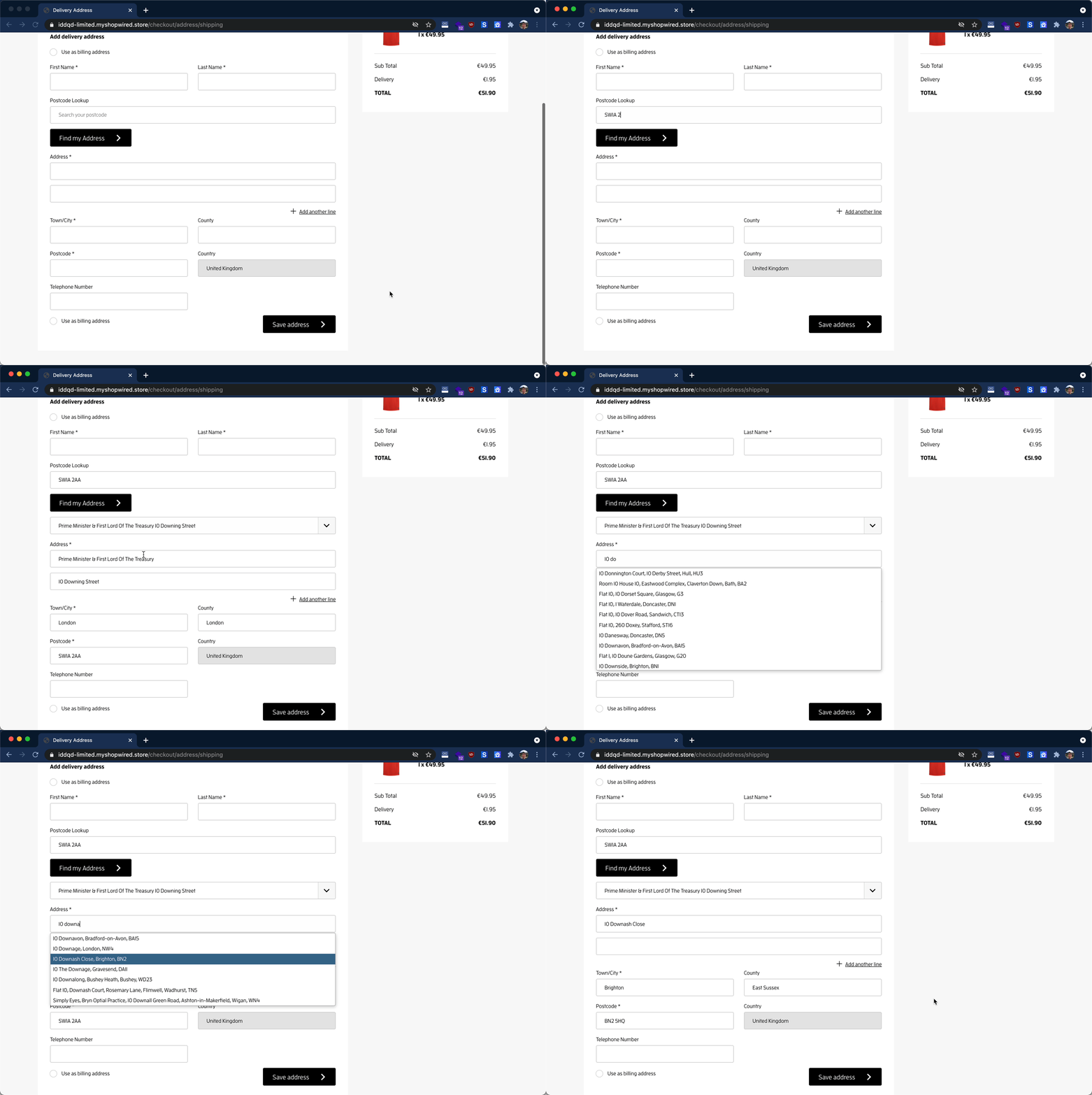
### Address Lookup[](#address-lookup "Direct link to Address Lookup")
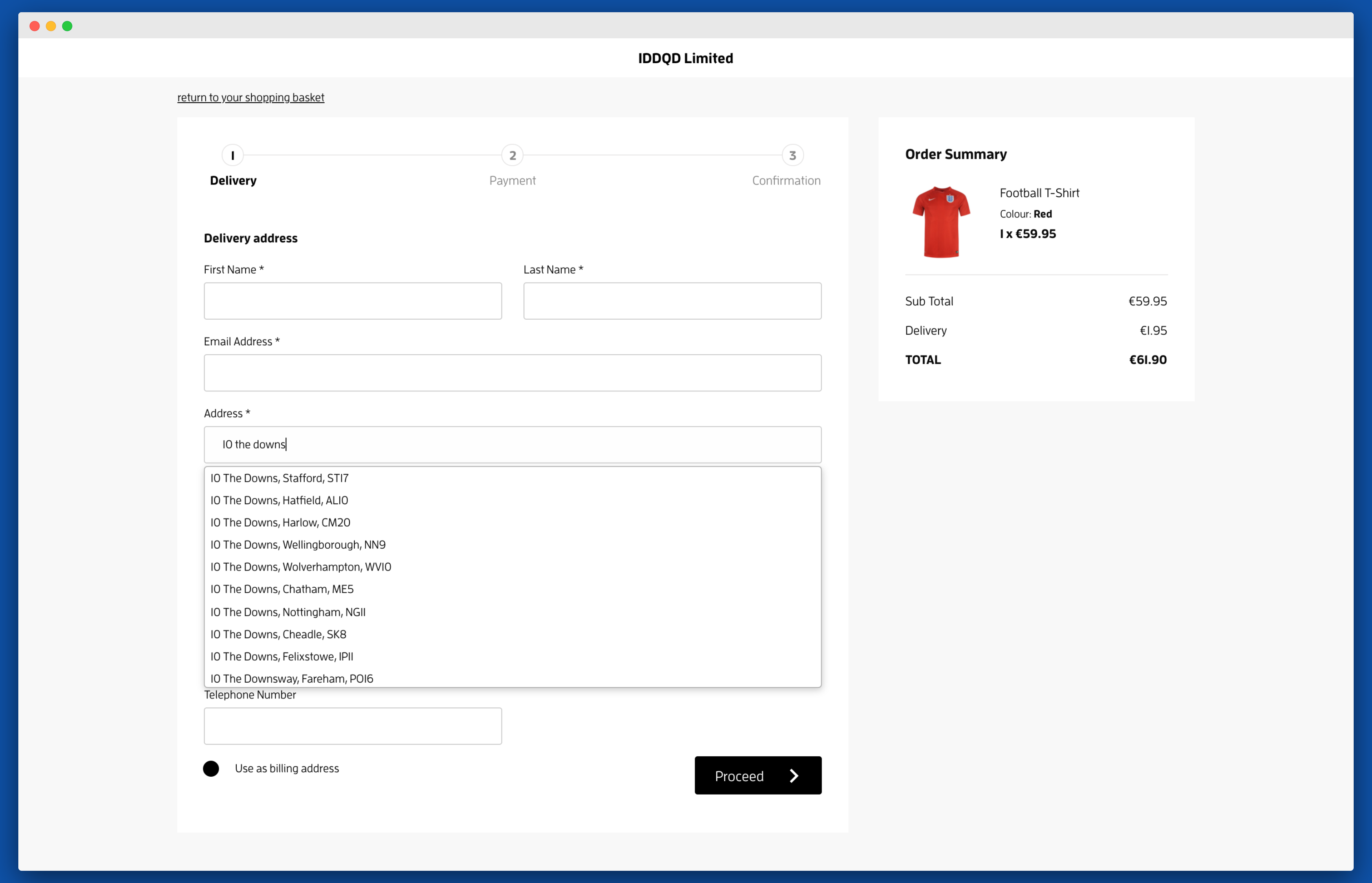
## Enable on Checkout[](#enable-on-checkout "Direct link to Enable on Checkout")
To enable Address Validation on checkout, you will need to use ShopWired's Advanced Customization.
### Access Advanced Customization[](#access-advanced-customization "Direct link to Access Advanced Customization")
From the Administration page sidebar, navigate to `Checkout` → `Platform Checkout` and scroll down to `Advanced Customization`.
### Insert Activation Code[](#insert-activation-code "Direct link to Insert Activation Code")
In the `Script contents` editor, insert the below configuration code and click on `Save`.
```
```
When inserting the configuration and initialization codes into the editor, take special care to replace the following:
* The `apiKey` attribute in the first script tag. This should be replaced with the Key on your account.
## Enable on Accounts[](#enable-on-accounts "Direct link to Enable on Accounts")
To enable Address Validation on user accounts and other pages you will need to update your ShopWired theme template.

### Access Theme Templates[](#access-theme-templates "Direct link to Access Theme Templates")
From the Administration page sidebar, navigate to `Themes` → `Installed Themes` click on `Page Editor`.
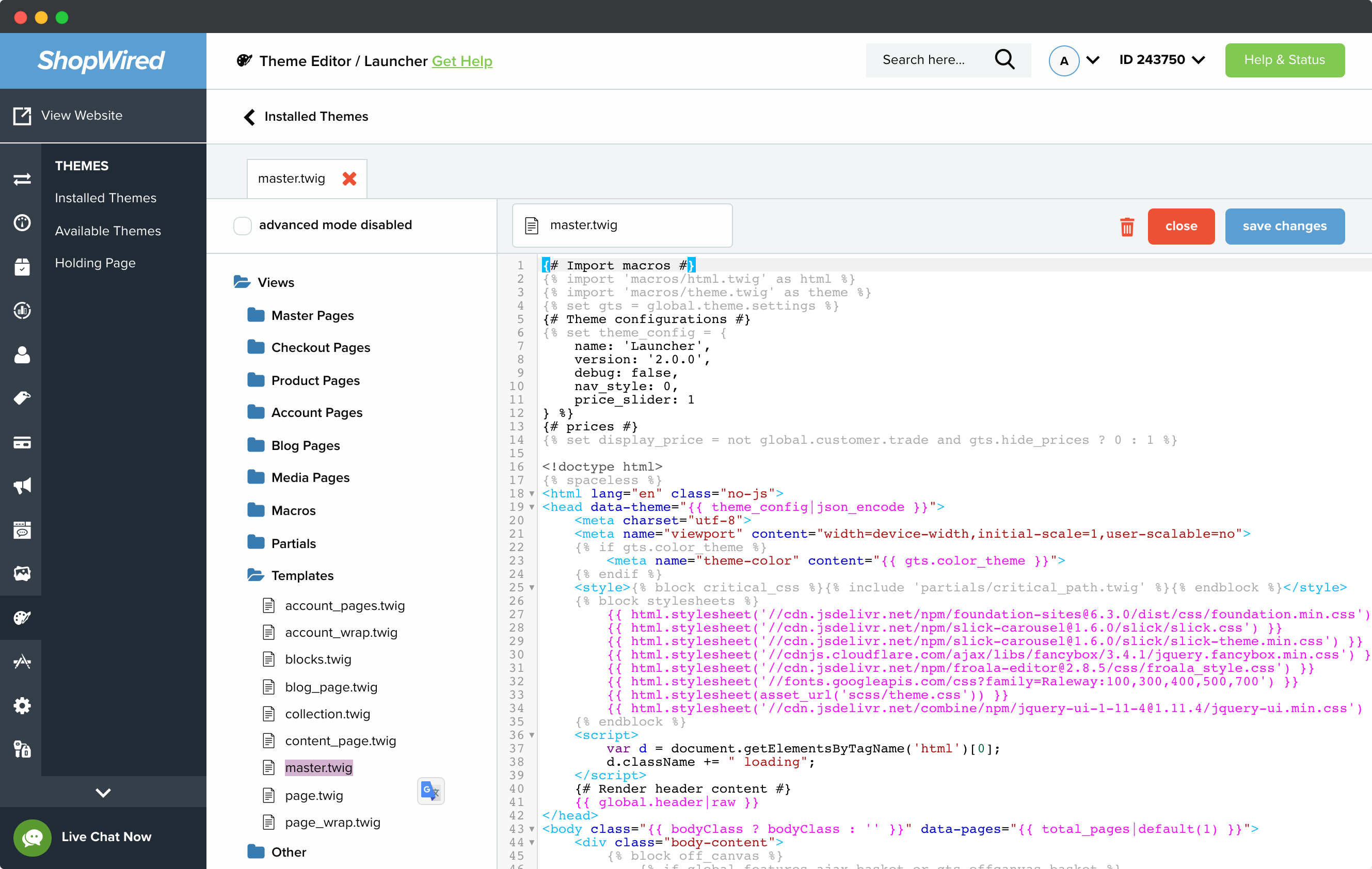
### Insert Activation Code[](#insert-activation-code-1 "Direct link to Insert Activation Code")
From the `Page Editor`, click on `Views` then `Templates` then `master.twig`. At the bottom of the editor before ``, add the same activation code as the checkout section (above).
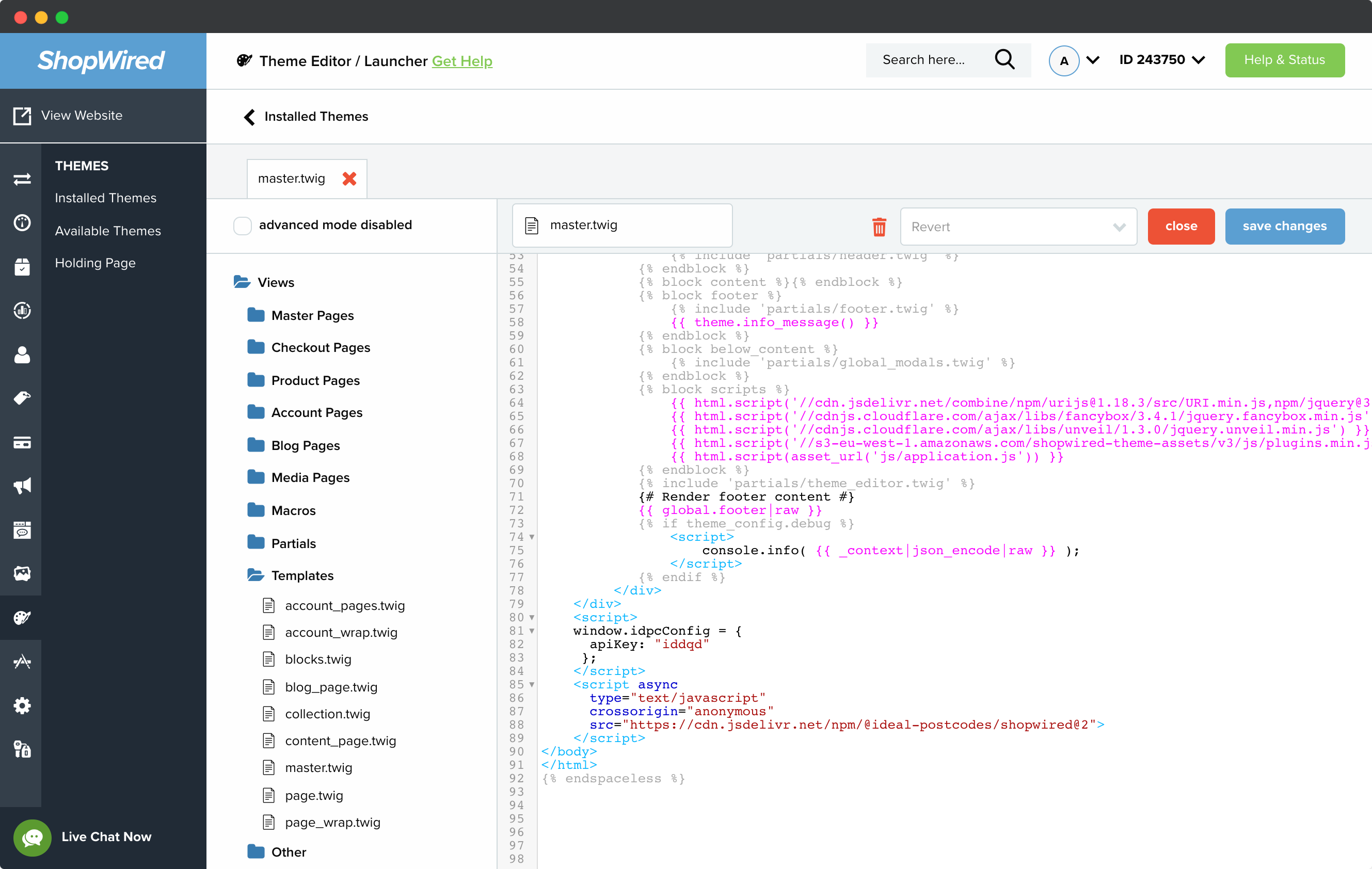
Once again update `apiKey`.
## Configuration[](#configuration "Direct link to Configuration")
The minimum configuration is as follows:
```