# 
## Demo[](#demo "Direct link to Demo")
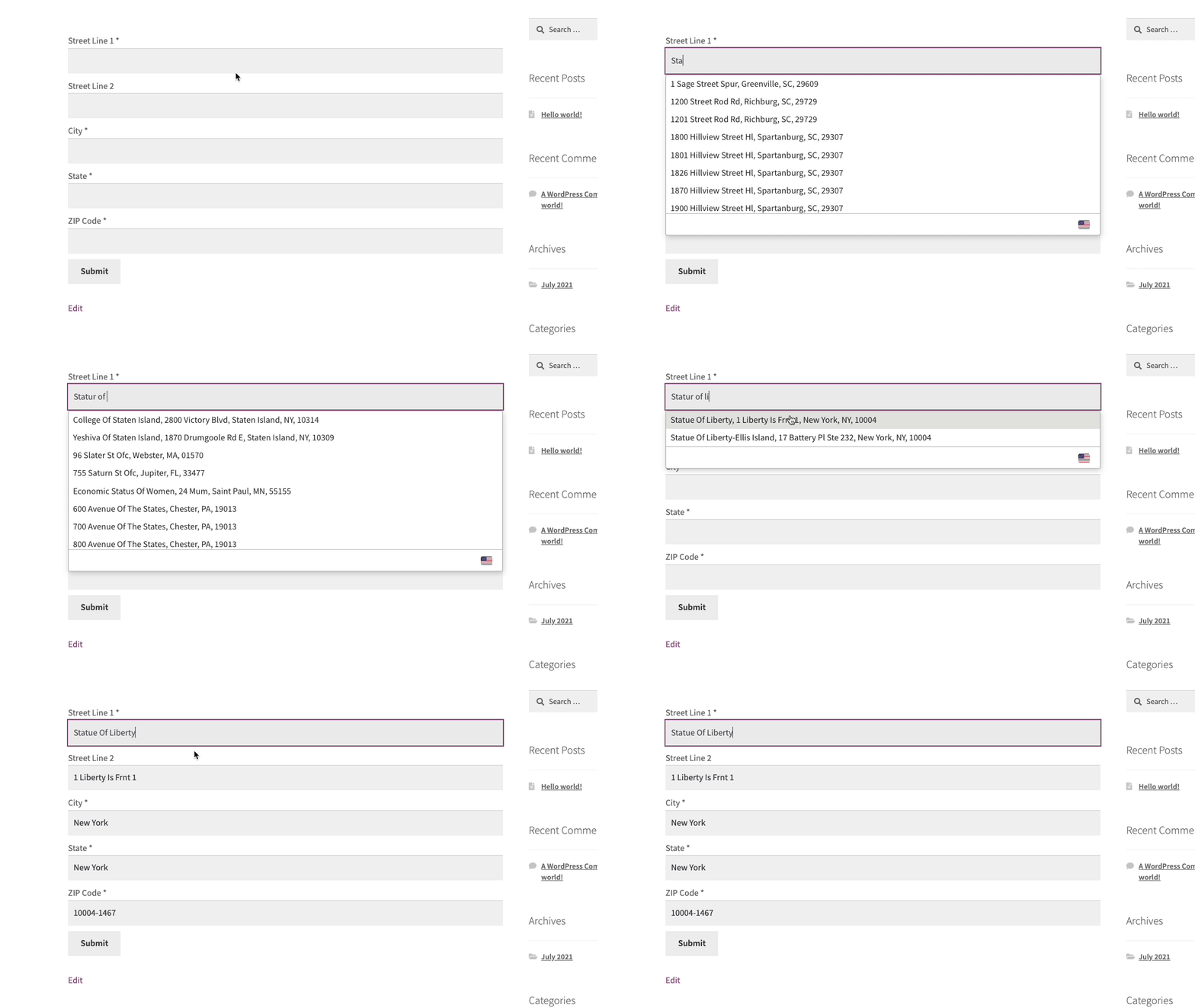 This integration works by hooking into JetFormbuilder custom HTML field.
## Installation[](#installation "Direct link to Installation")
This integration works by adding our Address Validation tools using JetFormbuilder's form editor. Below are the instructions to add Address Lookup.
### Create Address Inputs[](#create-address-inputs "Direct link to Create Address Inputs")
Add address input fields to your form. A basic address form to capture a correct US address should have the following fields:
* Street Line One
* Street Line Two
* City
* State
* ZIP Code
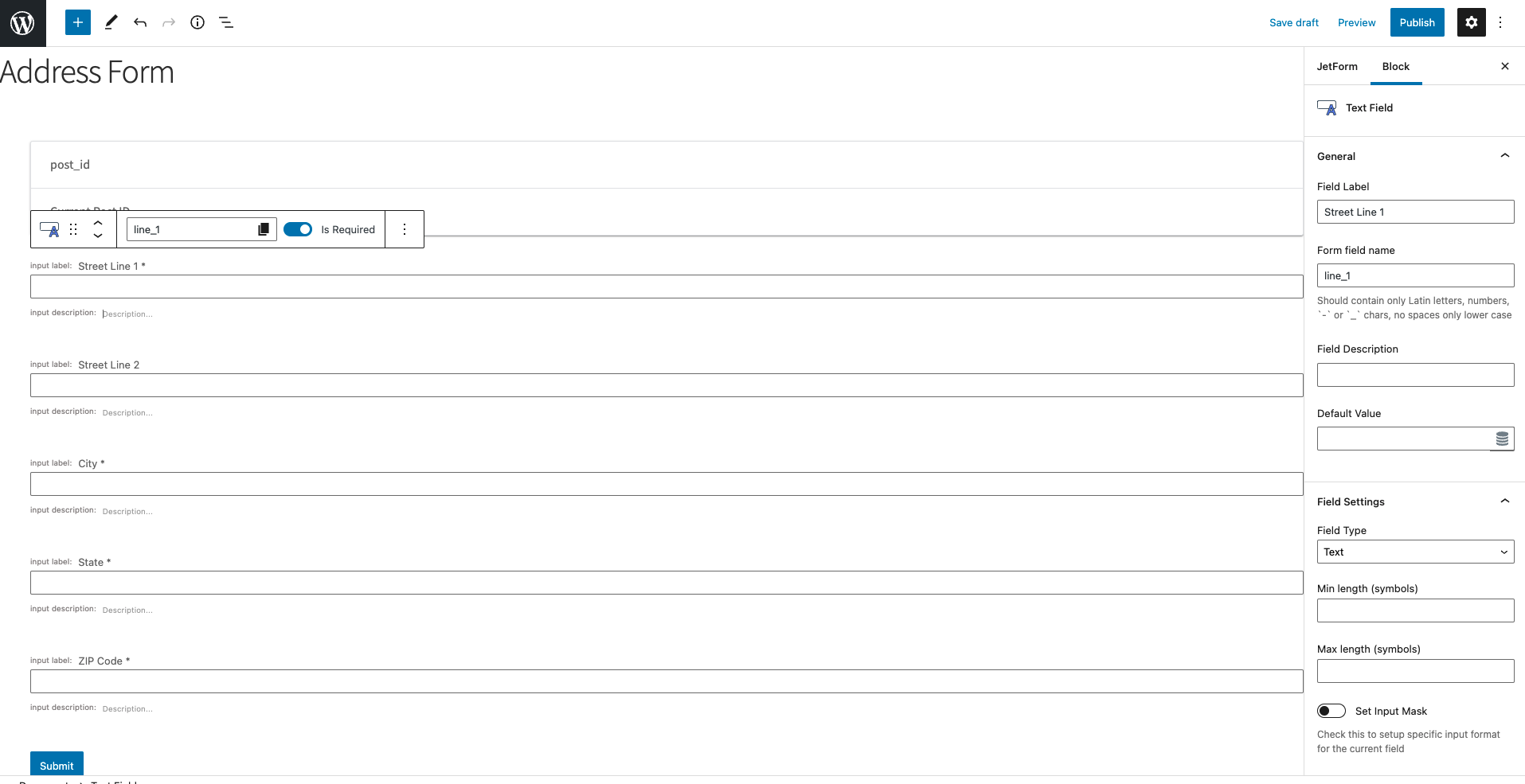
You can optionally include additional fields, which are documented in the [PAF documentation page](/docs/api/find-address.md).
### Add Address Lookup[](#add-address-lookup "Direct link to Add Address Lookup")
#### Install and initialize Plugin[](#install-and-initialize-plugin "Direct link to Install and initialize Plugin")
Add a `HTML block` and include two script tags at the bottom of your form to load the plugin and then to initialize it.
```
```
caution
Take special care to:
1. Insert your API Key in the `apiKey` field
2. Match the names of your target fields to the JetFormbuilder `Form field name`. If your Street Line One has the `Form field name` `line_1`, ensure that `line_1` reads `'input[name="line_1"]'`
3. Ensure `inputField` points to the same field as `line_1` to have the Address Lookup appear there
## Configuration[](#configuration "Direct link to Configuration")
See our [Address Lookup Plugin Documentation](/docs/address-lookup.md) if you wish to customize Address Lookup.
info
If you need support, you can reach out to us on our [support page](https://addresszen.com/support).