# 
## Demo[](#demo "Direct link to Demo")
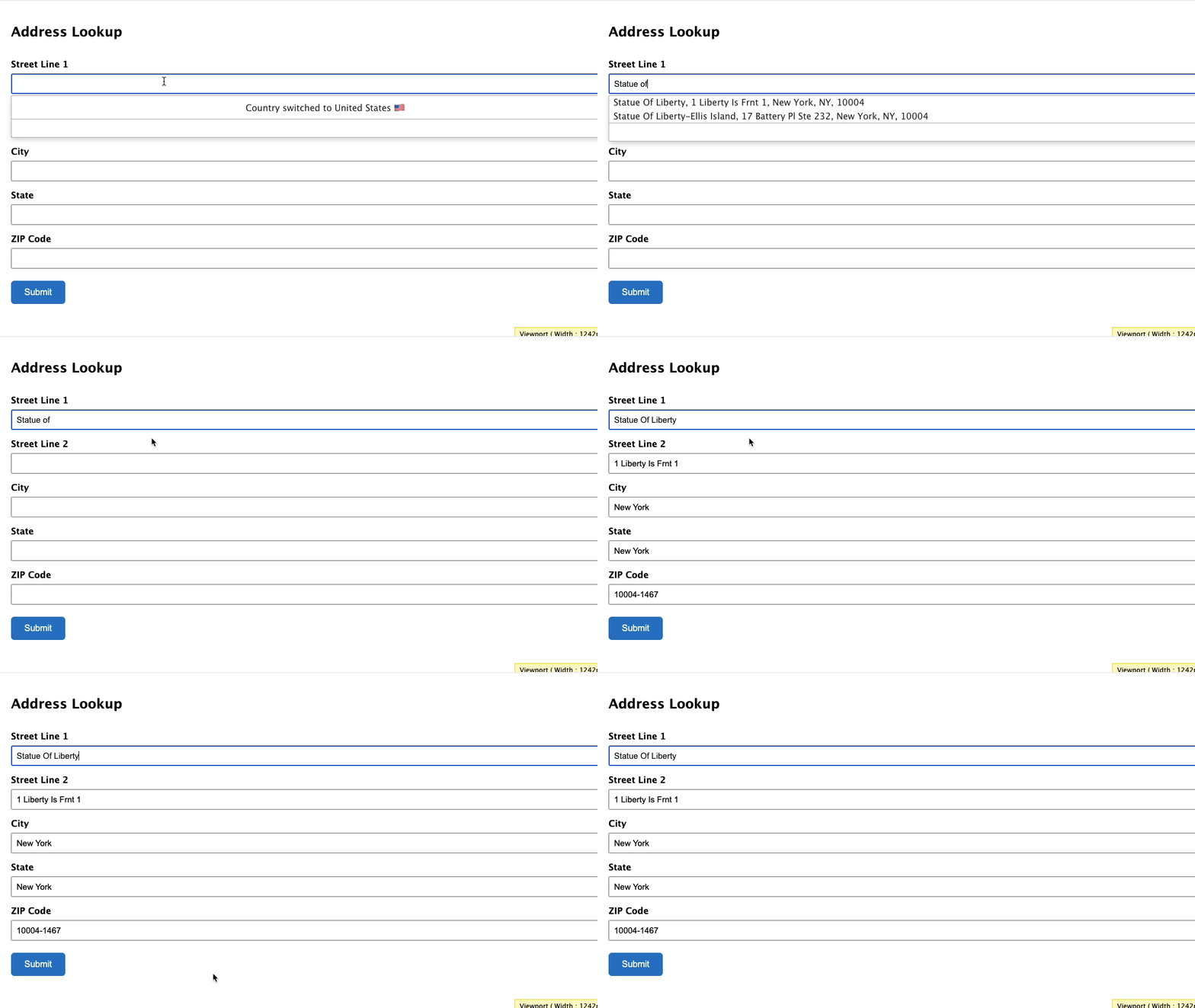 This integration works by hooking into Gravity Forms' custom HTML field.
## Installation[](#installation "Direct link to Installation")
This integration works by hooking into Gravity Form's custom HTML fields. Below are the instructions to add Address Lookup.
### Create Address Inputs[](#create-address-inputs "Direct link to Create Address Inputs")
Add address input fields to your form. These should be created using `Single Line Text` fields found under `Standard Fields`. A basic address form to capture a correct US address requires the following fields:
* Street Line One
* Street Line Two
* City
* State
* ZIP code
You may add other address fields, which are listed on the [address documentation page](/docs/api/find-address.md).
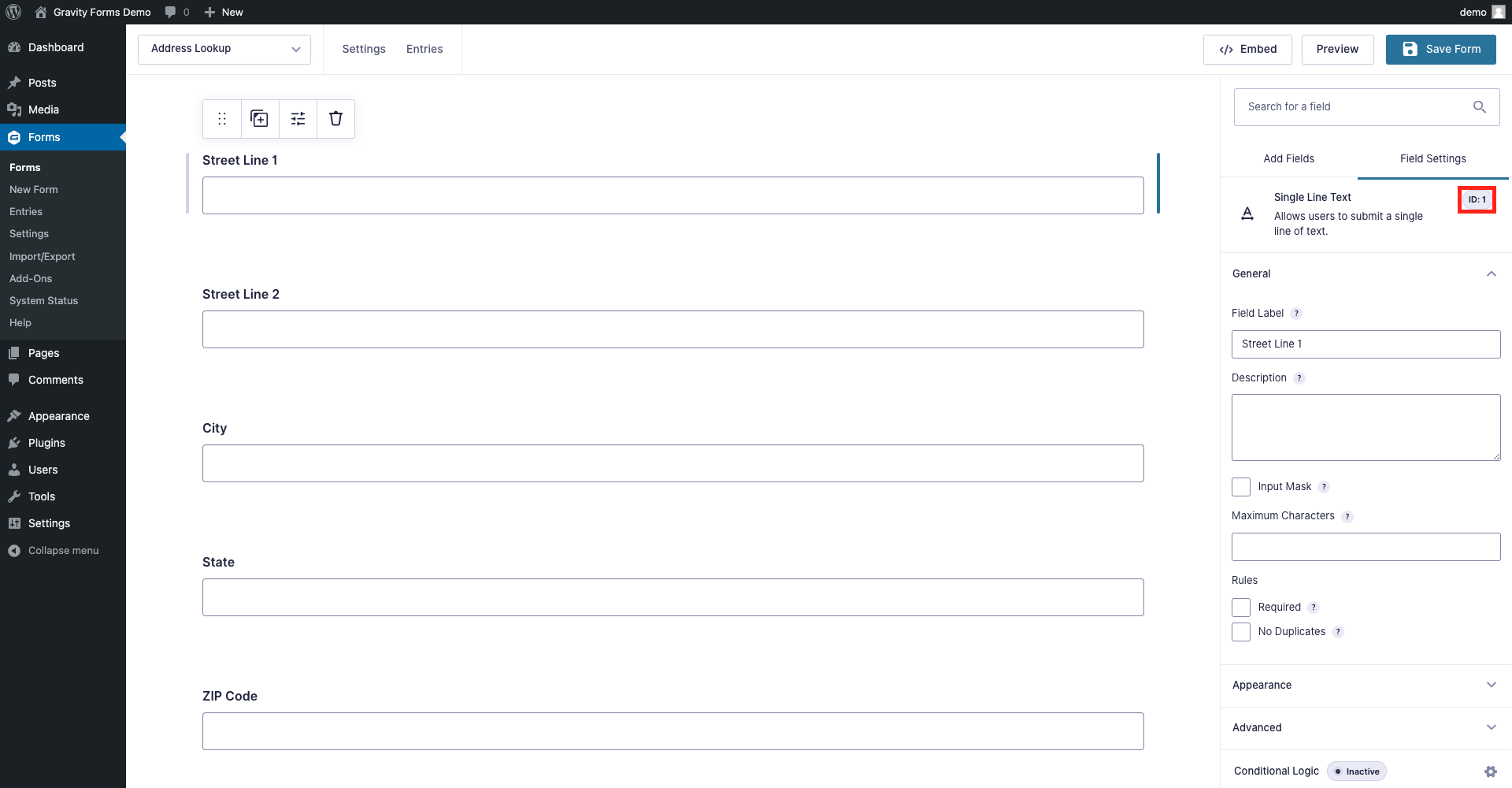
**Note the** `Field ID` number for each address field in the `Single Line Text` panel. You will need this later to configure the Address Lookup Plugin.
### Add Address Lookup[](#add-address-lookup "Direct link to Add Address Lookup")
#### Insert Code[](#insert-code "Direct link to Insert Code")
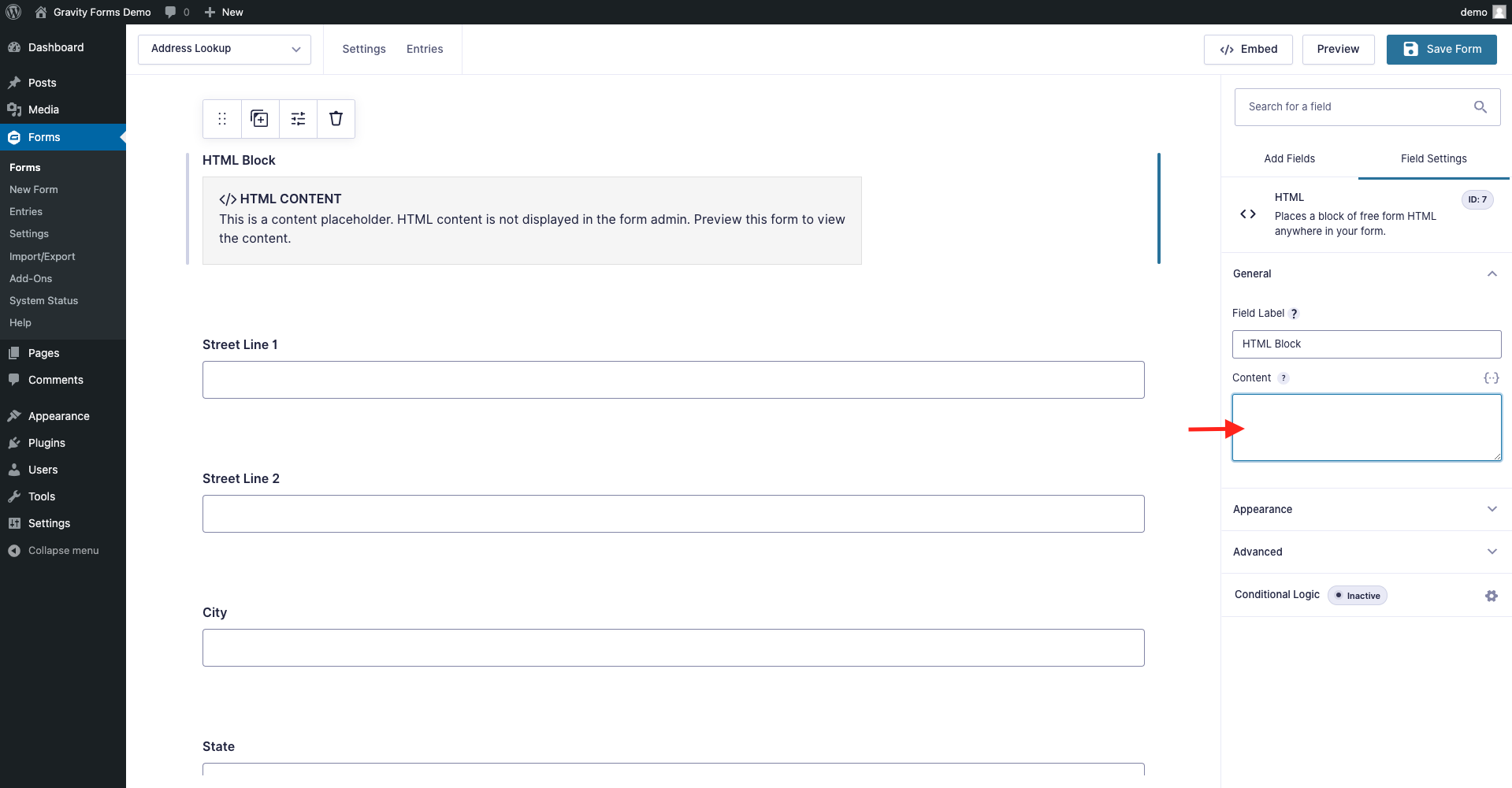
Add a `HTML` block at the top of your form and add the Address Lookup Plugin script tag.
```
```
You can optionally override CSS styles in the same `HTML` field. E.g.
```
```
caution
Take special care to:
1. Insert your API Key in the `apiKey` field
2. Update the input field names of your target fields. If your Street Line One `Field ID` is `24`, this line should be replaced with `'input[name="input_24"]'`. Do this for all the address fields you wish to include
## Configuration[](#configuration "Direct link to Configuration")
See our [Address Lookup Plugin Documentation](/docs/address-lookup.md) if you wish to customize Address Lookup.
info
If you need support, you can reach out to us on our [support page](https://addresszen.com/support).