# 
## Demo[](#demo "Direct link to Demo")
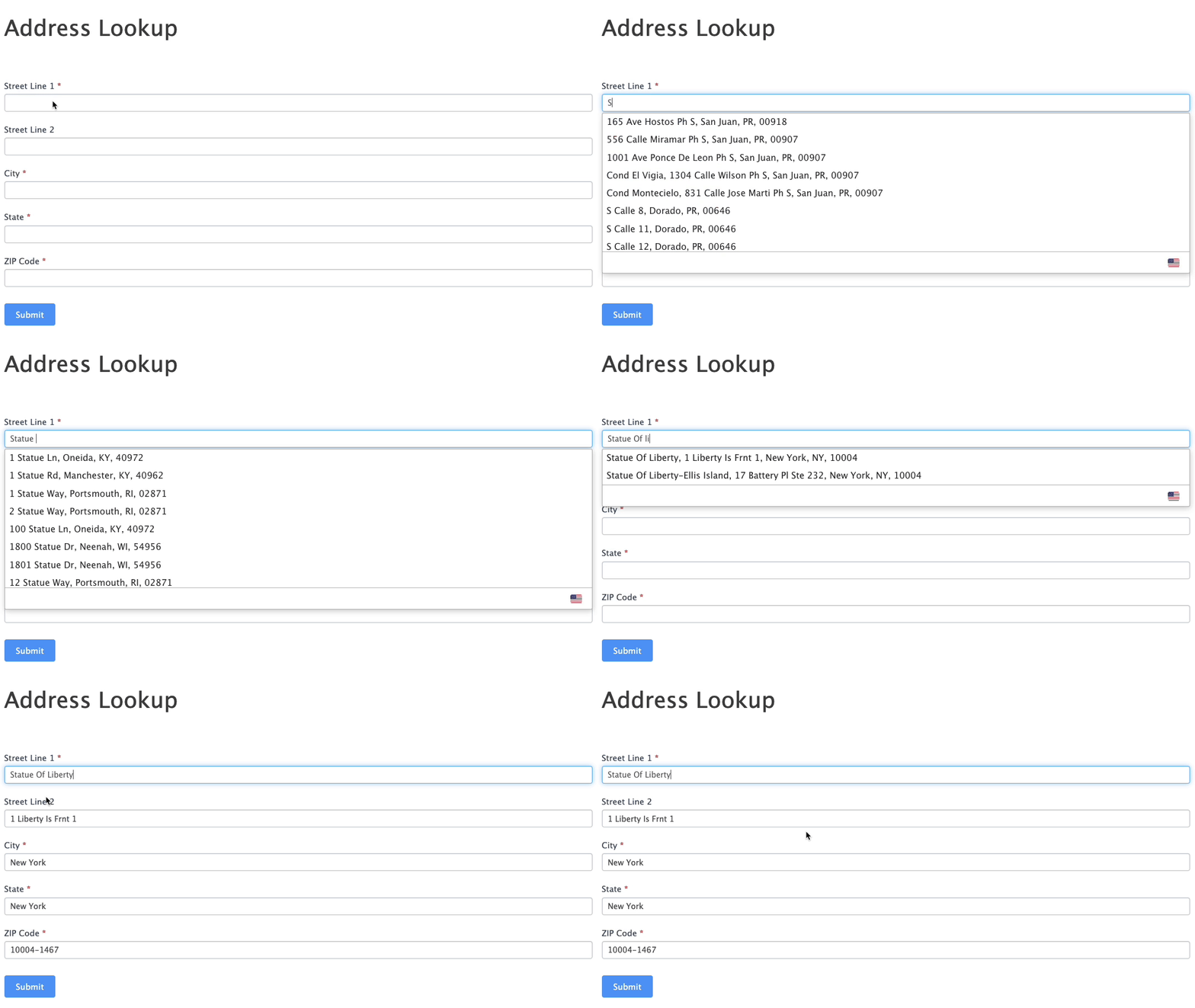 Integrate Address Validation to Your WordPress Formidable Forms.
## Installation[](#installation "Direct link to Installation")
This integration works by hooking into Formidable Form's custom HTML functionality.
### Create Address Inputs[](#create-address-inputs "Direct link to Create Address Inputs")
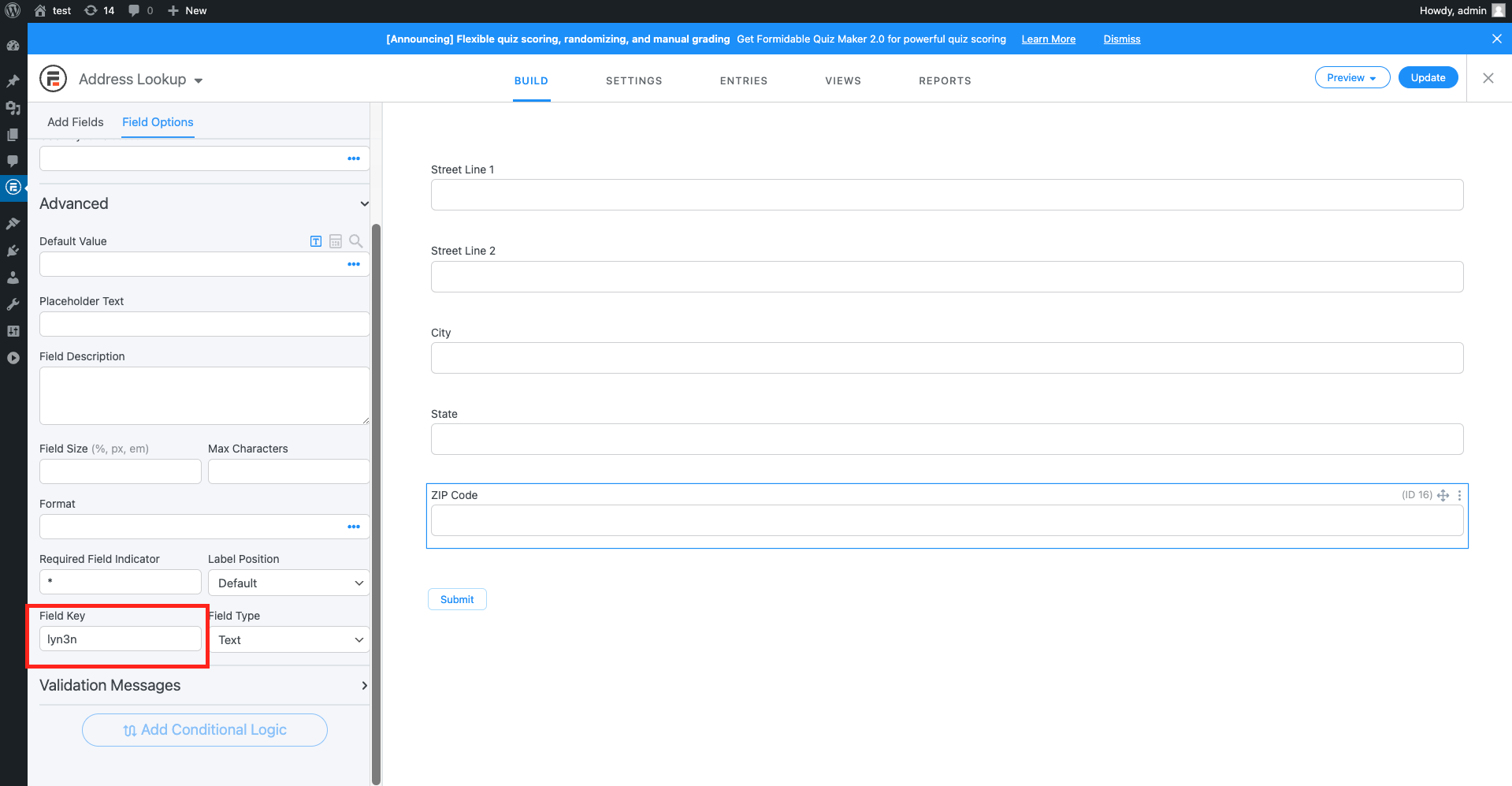
Add address input fields to your form. A basic address form to capture a correct US address requires the following fields:
* Street line One
* Street line Two
* City
* State
* ZIP Code
You can optionally include additional fields.
tip
**Note the** `Field Key` under the `Advanced` tab of the left sidebar. You will need this later to configure Address Lookup.
### Add Address Lookup[](#add-address-lookup "Direct link to Add Address Lookup")
Navigate to the Custom HTML setting by clicking on the `Settings` tab, then `Customize HTML` in the left sidebar and scroll to `After Fields`. It is in the `After Fields` section where the Address Lookup is loaded and initialized.
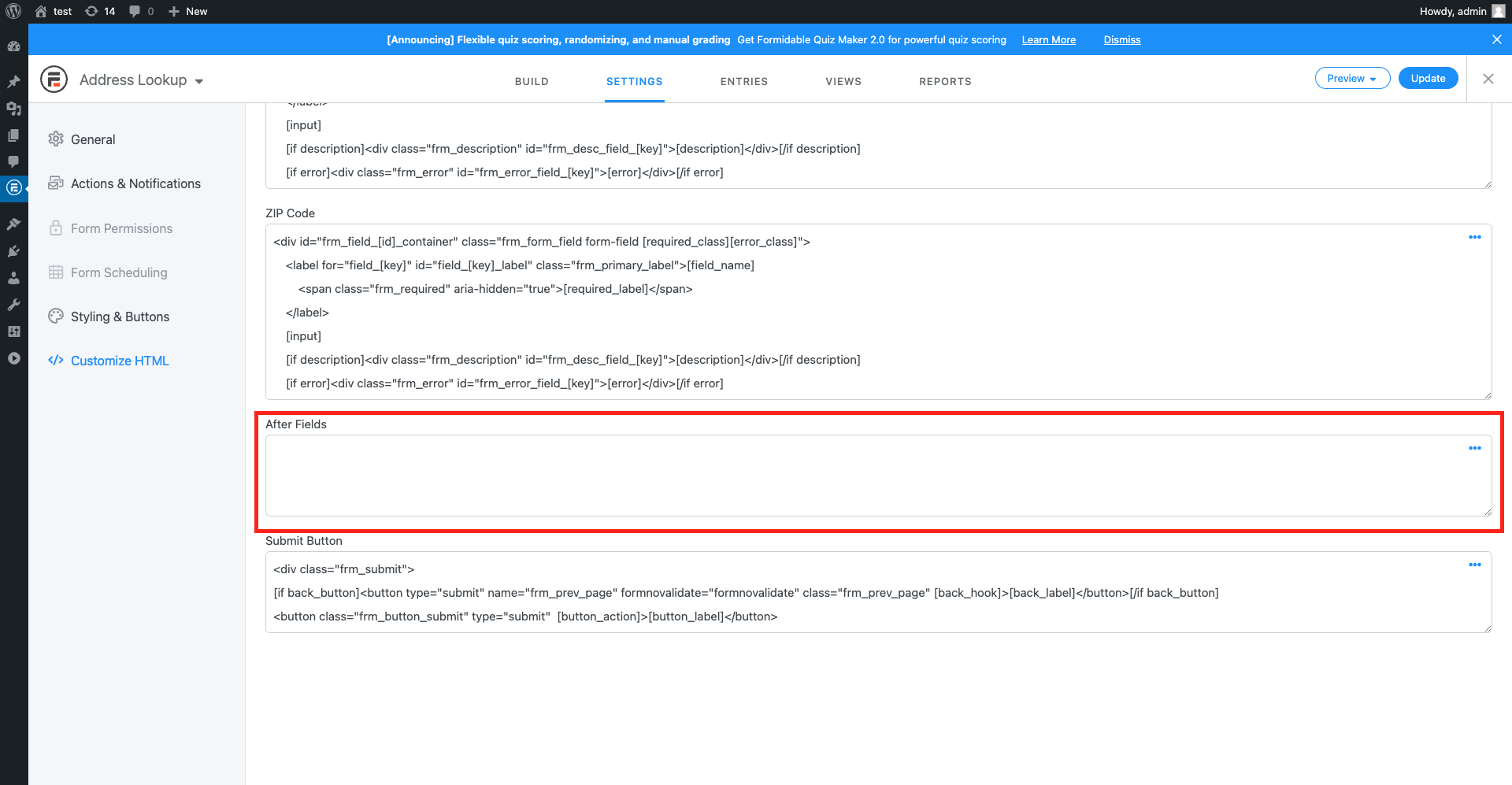
Add the following Script Tag to load and initialize Address Lookup.
```
```
caution
Special care is required to:
* Update the `apiKey` attribute with the API Key from your account. Your API Key typically begins with `ak_`
* Update the `outputFields` attribute with the `Field Keys` tied to your form inputs
* Update the `inputField` attribute with the `Field Key` for the first line of your address form
Your API Key is required to authenticate your form with your AddressZen account.
When inserting Field Keys, they must be prepending with `#field_`. So if your first address line Field Key is `49qm4`, the `line_1` parameter is `#field_49qm4`.
The `outputFields` parameter tells the plugin where to send address fragments like first line, city, state etc. Your input fields are identified by IDs which look like `#field_XXXXX`.
The `inputField` parameter tells the plugin where the Address Lookup box should appear. Typically, this is the same as your `line_1` parameter
## Configuration[](#configuration "Direct link to Configuration")
See our [Address Lookup Plugin Documentation](/docs/address-lookup.md) if you wish to customize Address Lookup.
info
If you need support, you can reach out to us on our [support page](https://addresszen.com/support).