# 
## Features[](#features "Direct link to Features")
* Address Lookup on checkout shipping and billing pages
* Binds to the following address forms:
* Checkout billing address
* Checkout shipping address
* Account registration
* Account management
* Checks if key is usable before enabling address search
* Populates organization name from selected address
* Add Address Lookup to the BigCommerce dashboard via the [Browser Extension](/docs/integrations/browser-extension.md)
info
If you need support, you can either reach out to us on our [support page](https://addresszen.com/support) or drop by our [developer chat page](https://chat.ideal-postcodes.co.uk).
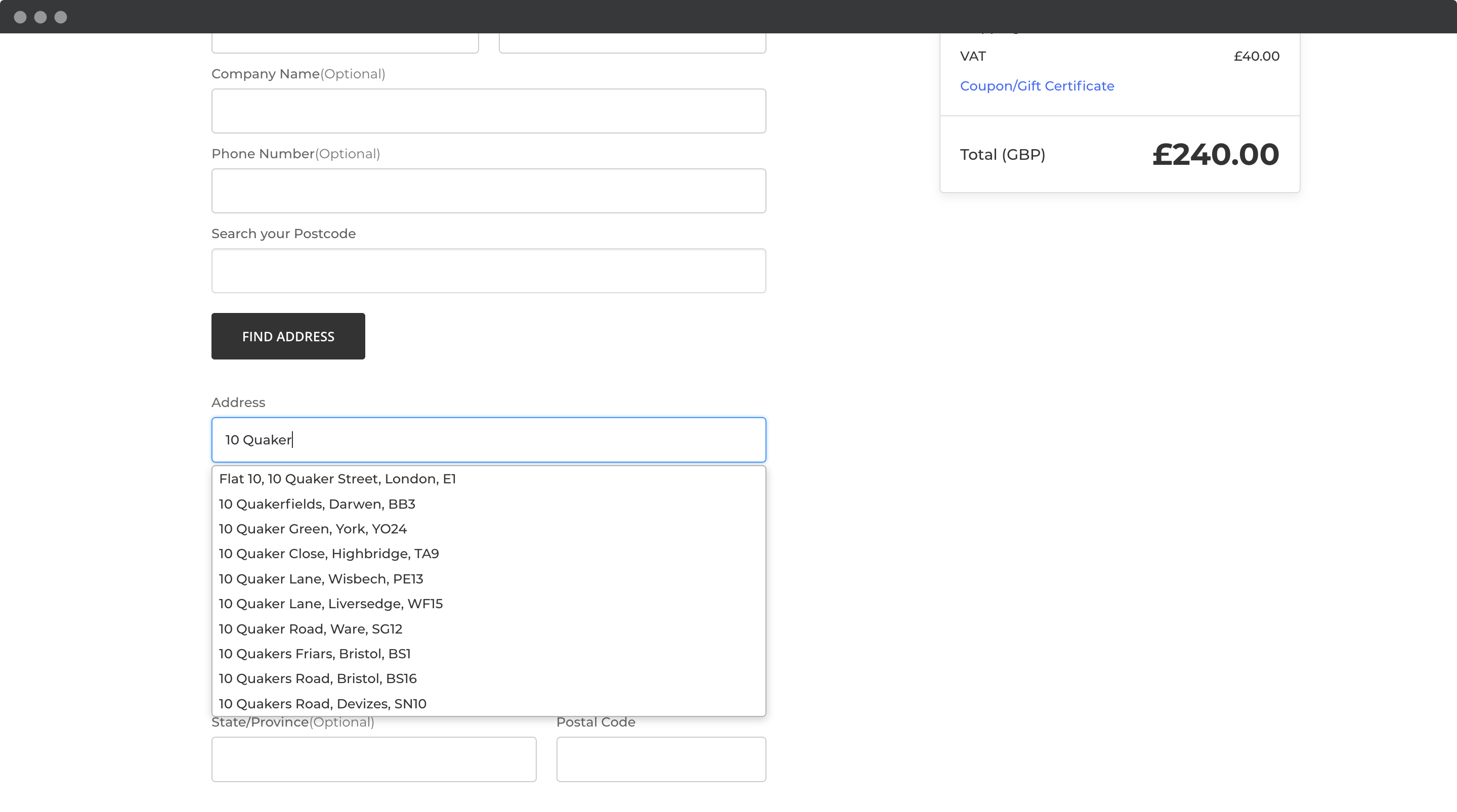
## Screenshots[](#screenshots "Direct link to Screenshots")
### Address Lookup[](#address-lookup "Direct link to Address Lookup")
### Script Setup[](#script-setup "Direct link to Script Setup")
In the Script Manager and Verification Tag install you will find the script below with some amendments.
```
```
You will need to replace `apiKey` attribute in the first script tag. This should be replaced with the **Key on your account**
[]()
### Add to Site Verification Tags[](#add-to-site-verification-tags "Direct link to Add to Site Verification Tags")
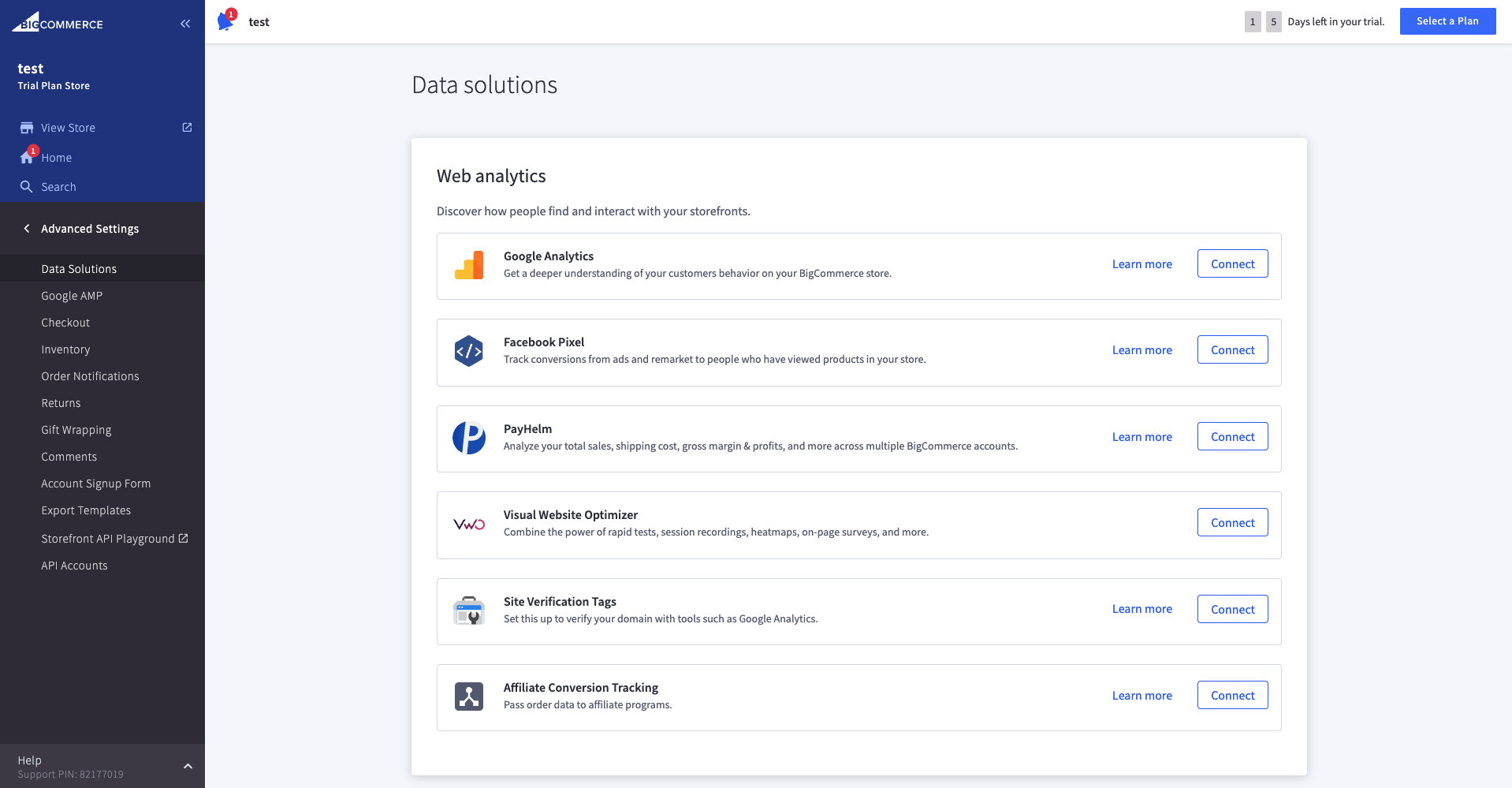
1. Navigate to your Tracking Code page by clicking on the `Advanced Settings` tab from your dashboard.
2. Check `Data Solutions`
3. Click `Connect` to `Site Verification Tags`.
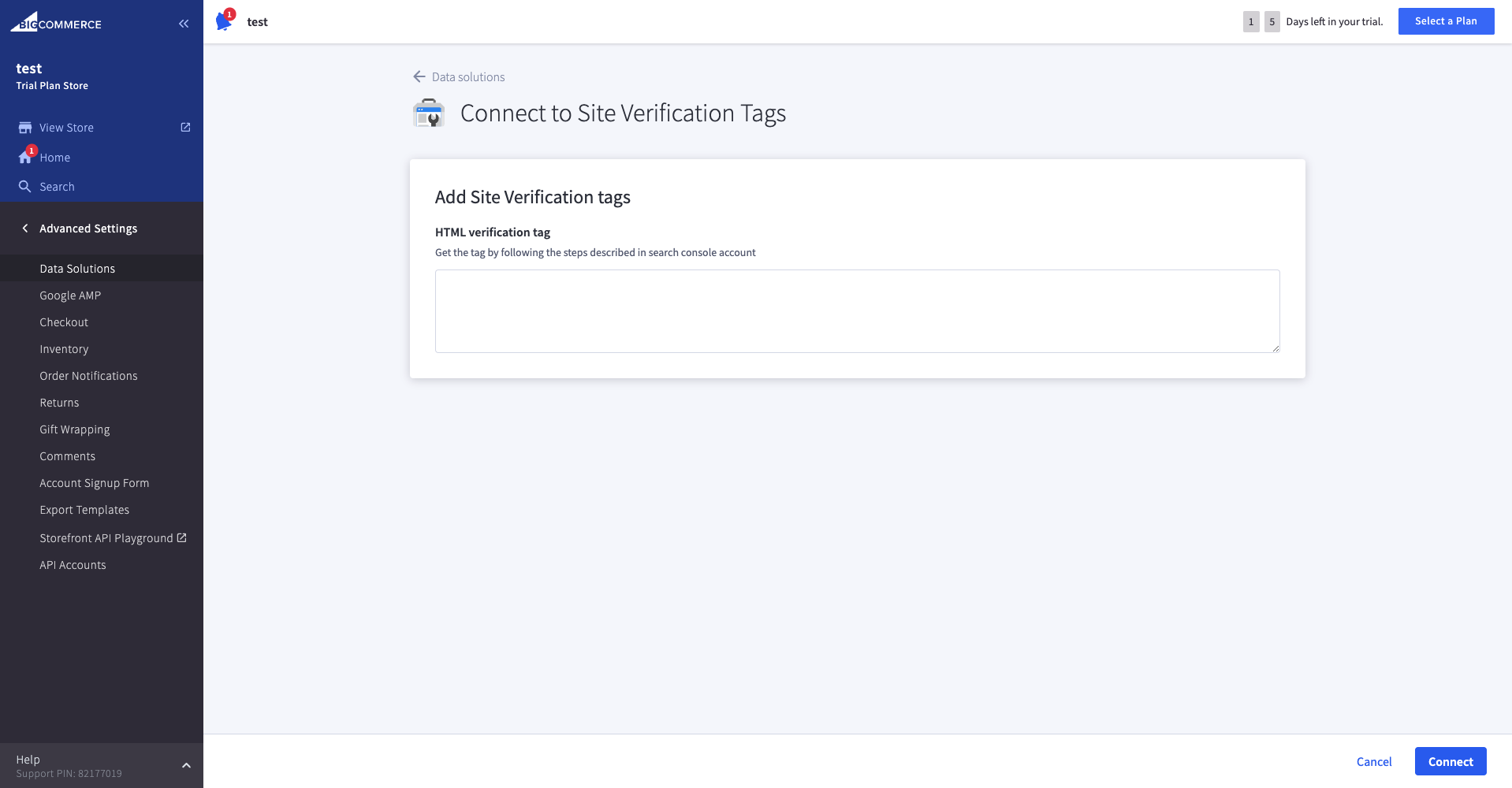
4. Insert the Setup Script. Under the `Site Verification Tags` tab, insert the script from our [script setup step](#script-setup) and click on Save.
[]()
### Add to Script Manager[](#add-to-script-manager "Direct link to Add to Script Manager")
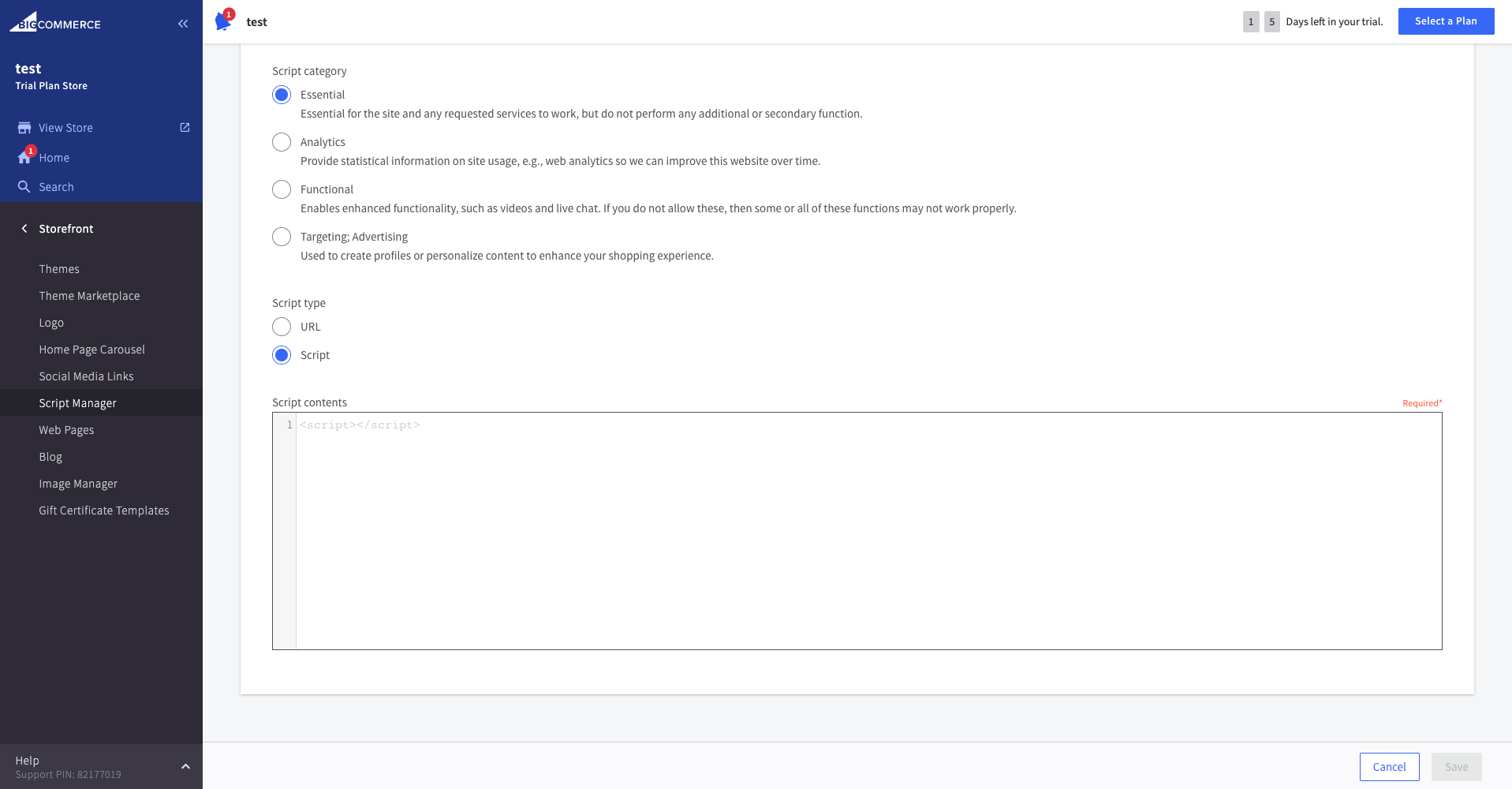
1. From the Administration page, click on `Store Front` and then `Script Manager`.
2. Click on the blue `Create a Script` button.
3. On the `Create Script` page, name your script. Select the following options:
* `Footer` as the location on page
* `Checkout` as the page on which the script will be added
* `Essential` as the script category
* `Script` as the script type
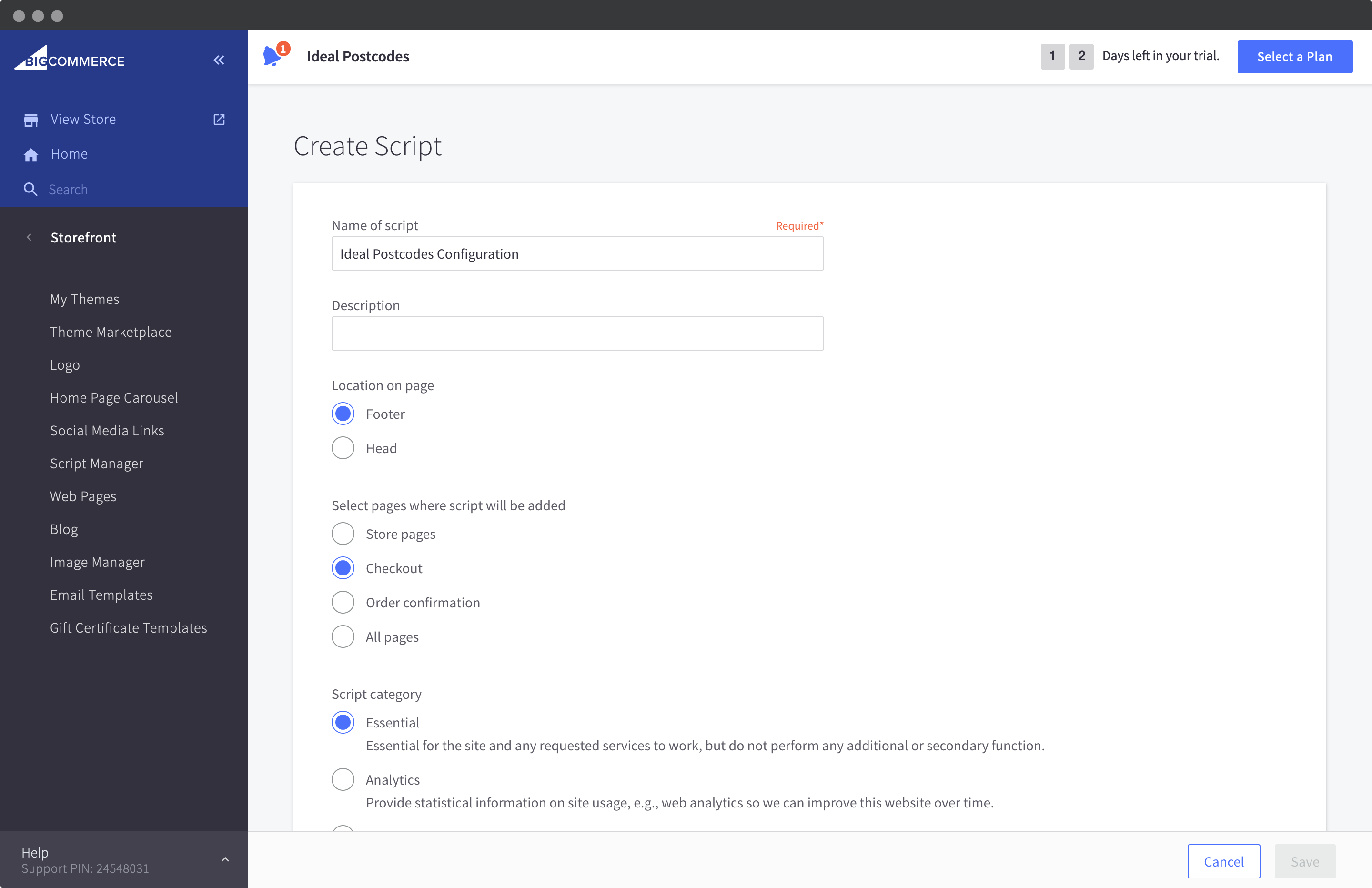
4. Insert the script from our [script setup step](#script-setup) below in the `Script contents` editor and click on 'Save'. The page should appear like below:
## Configuration[](#configuration "Direct link to Configuration")
The minimum configuration is as follows:
```
```
See our [integration configuration guide](https://ideal-postcodes.co.uk/guides/integration-configuration) to understand how to customize this.
### Defaults[](#defaults "Direct link to Defaults")
The available configuration attributes for the configuration are as follows:
```
window.idpcConfig = {
// API Key is not set by default
apiKey: "",
// Postcode Lookup is enabled
postcodeLookup: true,
// Autocomplete is enabled
autocomplete: true,
// Company name field is updated
populateOrganisation: true,
// County name field is not updated
populateCounty: false,
// Advanced configuration
autocompleteOverride: {},
postcodeLookupOverride: {}
};
```
## Upgrades[](#upgrades "Direct link to Upgrades")
This integration will be continually updated without your action. However there will be occasion when a backwards breaking change is introduced. When this happens we will increment the version number at the end of the script `src`.
## Version Pinning[](#version-pinning "Direct link to Version Pinning")
It's possible to fix the version number of the integration script. The version suffix `@VERSION` in `src` can be replaced with a specific version number. Versions are automatically logged and tracked on our Changelog.
## Admin Pages[](#admin-pages "Direct link to Admin Pages")
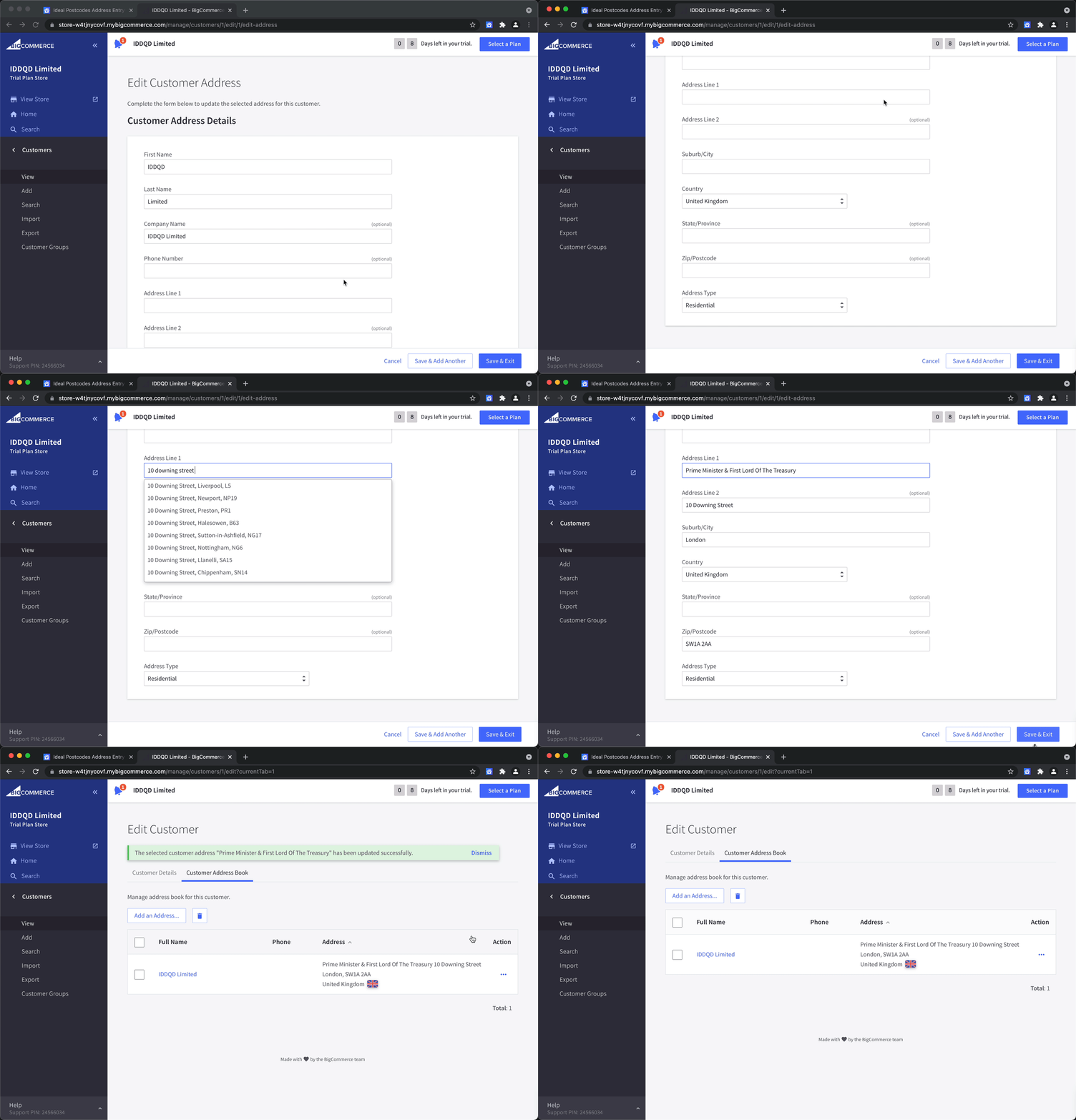
To enable address validation on your admin page, you will need to use our [Browser Extension](/docs/integrations/browser-extension.md).